
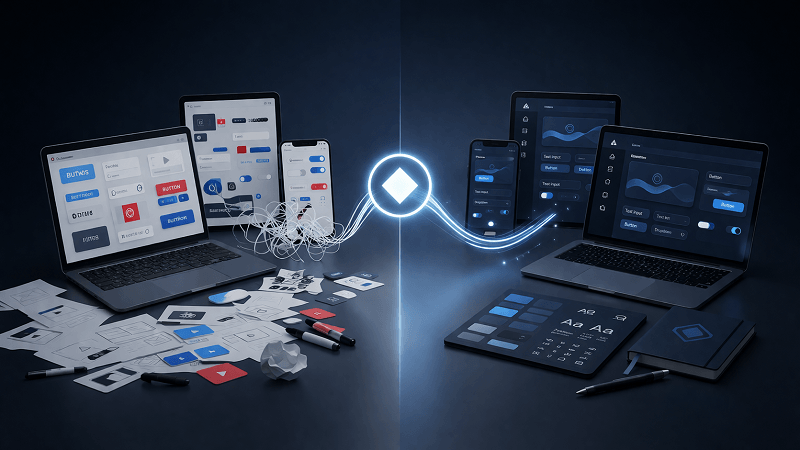
Maintaining a consistent visual language across growing product lines brings massive logistical headaches. Design teams usually start by building custom interface graphics. That works beautifully for the first fifty assets. Everything matches perfectly. But scaling up changes the equation entirely. Suddenly your team needs specialized graphics for obscure database settings. Marketing demands distinct illustrations for a new campaign. Drawing every single piece in-house quickly becomes an unsustainable bottleneck.
Piecing together open-source sets seems like an easy fix. Downloading random vectors from stock sites feels like a quick win. Clashing line weights and mismatched corner radiuses tell a different story.
Application polish suffers immediately.
Icons8 solves that scaling problem directly. By curating a massive library organized strictly by visual style, teams source matching assets without starting from scratch.
A Typical Workday Managing Interface Assets
Monday morning brings a fresh pull request featuring a new user profile dashboard. Missing from the local repository is one specific “verified security badge” graphic. Pinging the design team means waiting hours for a custom vector. Context switching kills productivity. Teams don’t have time for that. Our developer skips the delay and opens the Pichon Mac app instead.
Filtering the library to match their existing Windows 11 Outline style takes seconds. Typing “security badge” into the search bar reveals a perfect match. Dragging that vector directly from Pichon into the code editor feels like magic.
Later that afternoon requires a loading spinner for a mobile view. Navigating to the Icons8 web platform reveals an animated Lottie JSON file from the exact same style family. Dropping that file into the asset folder takes moments.
Visual cohesion stays intact. Nobody wasted time drawing a basic spinner.
Start-to-Finish Workflow Scenarios
Designing a Cross-Platform Mobile Application
Building a mobile app that feels native on both Apple and Android devices presents a unique challenge. Strict adherence to iOS guidelines clashes with Material Design principles. Creating two entirely separate asset libraries in-house would easily double your project timeline. Budgets won’t allow for that.
Launch Figma and open the Icons8 plugin. Selecting the iOS 17 Glyph style for Apple mockups grants access to over 30,000 assets. Finding standard navigation elements alongside highly specific industry graphics happens instantly. Just drag them straight onto the canvas. It’s an incredible time-saver.
Duplicating those artboards sets up the Android version. Switching the plugin’s style filter to Material Outlined changes everything. Searching for those exact same concepts yields platform-accurate replacements. Swapping them out ensures both application versions perfectly match their respective guidelines.
Handoffs become incredibly simple. Setting up a new Collection in the web app organizes all final assets. Generating a shareable link passes everything directly to the development team. Clicking that link auto-clones the collection instantly. Developers can then bulk download everything as an SVG sprite sheet.
Assembling Branded Marketing Materials
Slide decks for upcoming product launches demand vibrant visuals to break up text-heavy pages. Content managers often lack access to complex vector editing software. Discovering an icon library offering deep customization without specialized tools changes the game entirely.
Browsing the 3D Fluency category on the Icons8 web platform reveals a suitable rocket graphic. Clicking it opens an intuitive in-browser editor. Default colors rarely match company branding perfectly. Inputting an exact brand HEX code recolors the asset instantly.
Standing out on a white presentation slide requires contrast. Grabbing the “Square” tool adds a circular background behind the graphic. Applying a secondary brand color to that circle adds instant pop.
Adding a bold, Roboto-font label directly beneath the graphic finishes the composition. Exporting the final composite as a 1600px PNG readies it for the presentation. Your final result looks like a custom-commissioned piece. Everything happens inside a web browser. No design degrees required.
Comparing the Alternatives
Absolute control over visual language comes from relying on an in-house design team. Speed and cost become the obvious trade-offs. Dedicated headcount is essential for drawing, reviewing, and exporting thousands of custom graphics. Most startups simply cannot afford an entire illustration department.
Early-stage prototypes benefit greatly from open-source packs like Feather or Heroicons. Clean, professional vectors are available at absolutely no cost. Limited scope remains their biggest downfall. Highly specific medical devices or niche financial concepts simply don’t exist in these smaller libraries. Mixing and matching styles becomes unavoidable.
Millions of user-submitted assets populate platforms like Flaticon or Noun Project. Finding your specific concept is almost guaranteed. Consistency takes a massive hit. Aggregating work from thousands of independent contributors creates chaos. Locating fifty graphics sharing the exact same line weight, perspective, and corner radius proves incredibly frustrating.
Bridging this gap requires strict curation. Maintaining in-house control over distinct style families ensures every asset matches perfectly. All 10,000+ items within a specific Icons8 pack actually look like they belong together.
Limitations and when this tool is not the best choice
Professional product development demands more than the highly restrictive free tier offers. Downloads cap at 100px PNGs and require a visible attribution link. Commercial software products simply can’t survive on raster images and forced branding.
Unlocking scalable vector formats like SVG or PDF costs $13.25 monthly. Animated formats like Lottie JSON or After Effects projects push that price higher. Those require the Full Set tier at $33.25 per month. Budgeting for these subscriptions is necessary for serious teams.
Navigating 1.47 million assets gets overwhelming fast. Searching for generic terms without applying style filters brings chaos. Your results will display a messy mix of flat vectors, 3D renders, and hand-drawn sketches. Strict enforcement of specific style packs is mandatory. Otherwise, your interface will look like a fragmented Google Images collage. Establishing clear design guidelines prevents this visual clutter.
Practical Tips for Better Asset Management
Standardizing export and organization processes maximizes platform value. Smart teams implement these workflows early.
- Apply your brand’s exact HEX code to fifty graphics at once using the bulk recolor feature in Collections. Manual editing isn’t worth the hassle.
- Uncheck the “Simplified SVG” option before downloading when developers plan to animate specific vector paths with CSS. Clean code matters for complex animations.
- Upload existing custom SVGs into an Icons8 Collection to manage proprietary and downloaded assets in one central hub. Disconnected folders lead to lost files.
- Embed small graphics directly into your code using the Base64 HTML fragment export option. That cuts down on external HTTP requests and speeds up page loads.
- Submit requests for missing concepts through the community board. Eight community likes prompt the in-house team to draw it and add it to the library. Your specific edge case just might become a permanent asset.